Forest Stream Awakening
A clear woodland stream with birds waking up around it and a woodpecker deeper in the trees.
- Forest Birds & River 50%
- River 30%
- Woodpecker and Birds 14%
Six apps here play real recordings of rain, water, wind and birds, and what separates them is how much of the sound you get to control and how much of it costs nothing. Star ratings tell you how popular an app is, not how good its recordings are.
Slo plays 49 nature recordings on iPhone, Android and Mac, inside a library of 200+ sounds with 89 free, and it gives every sound in a mix its own volume plus a timer from 15 minutes to 24 hours that fades out before it stops. Past the free 89 it asks for a monthly or yearly subscription or a one-time lifetime purchase, and the 180 browser sounds at slonoise.com cost nothing and need no account. Rain Rain has the strongest free tier for rain, with 50+ sounds and no time limit. myNoise gives you the most control over each part of a soundscape. Portal adds video and spatial audio on Apple hardware. Calm folds nature scenes into a wider sleep library, and Apple’s Background Sounds plays ocean or rain with nothing to install.
| App | Best for | Nature library | Layer control | Verified platforms | Cost model | Offline | Timer |
|---|---|---|---|---|---|---|---|
| Slo | Nature that runs all night | 49 nature recordings, 20 free; rain 11, water 9, birds 8, wind 6 | Any number of layers, a volume each, saved mixes | iPhone, Android, Mac; browser | 89 of 200+ app sounds free, all 180 browser sounds free; monthly, yearly or one-time lifetime | Yes, after download in the app | 15 minutes to 24 hours, with a fade of up to 2 minutes |
| Rain Rain | Rain in every form | 50+ free sounds, 60+ more with Premium | Mixer with per-sound volume, oscillator, soften | iPhone, iPad, Apple TV, Apple Vision; Android via Google Play | Free with a banner ad; Premium subscription and sound packs | Yes, after a sound’s first online play | Yes, every option free |
| myNoise | Shaping a soundscape yourself | 300+ soundscapes on web and app | Sliders for each element of a soundscape | Web; iOS 15.1+, iPadOS, Mac (M1 or later), Android | Donation-supported web; app keeps 10 soundscapes free after a 7-day trial, one-time purchase for the rest | Yes, per its App Store listing | Yes, with fade-out |
| Portal | Nature you watch as well as hear | 100+ location recordings, per the App Store listing | Scene selection, no layer mixing | iPhone, iPad, Mac; no Android app | Three free portals, refreshed monthly; monthly, annual or lifetime Premium | Yes, portals can be downloaded | Yes, free |
| Calm | Nature inside a full sleep app | Background Scenes plus sounds such as ocean waves, heavy rain and campfire | Scene selection, no layer mixing | Apple and Android devices; web | Free Scenes and 8 sleep sessions; Premium for the wider library | Most sessions can be downloaded | A duration you set for Scene sound |
| Apple Background Sounds | Zero setup on an Apple device | Ocean, rain and noise presets built into the system | Volume and equalizer | iPhone, iPad, Mac, Apple Vision Pro | Included with the operating system | Not stated by Apple | Yes, from iOS 26 and macOS Tahoe |
Nature audio is easy to sell and hard to compare. Two apps can both promise “rain,” then deliver a thin loop in one and a twenty-minute recording in the other, and no listing tells you which is which. So we compared what companies document rather than what they imply. We read each company’s store listings, support pages and website on July 31, 2026, and checked free access, offline playback and timers again on September 13, 2026.
Four things decided the list:
Three tempting shortcuts stayed out. A 4.8 star average measures how many people liked an app, so it never moved a pick up the list. Sales lines about deeper sleep or lower stress carry no weight either, because a store listing is not evidence about your health. And we ran no listening tests, so you won’t read here that one app’s rain sounds better than another’s. Slo is ours, and every Slo number here was taken from app version 3.132 on September 14, 2026. Nothing on this list is a promise of better sleep.
Slo holds 49 nature recordings and keeps 20 of them free for good. In the library, rain has 11 tracks, water 9, birds 8, wind 6, thunder 5, forest 5 and fire 5. The app runs to 200+ sounds, 89 of them free, so a river can sit under brown noise from the same catalogue. Run as many together as you like, set each one’s volume, and Slo brings that balance back when you start the same combination again.
Timers run from 15 minutes to 24 hours, and the fade at the end lasts anywhere from 15 seconds to 2 minutes, so a forest doesn’t cut to silence at 3 a.m. The audio keeps going on iPhone and Android once you leave the app, and on Android Slo asks to step outside battery saving as soon as you set 2 hours or more. Anything you play once stays on the device, so a saved mix survives a night with no signal. Past the free 89 sounds you pay monthly, yearly or once for life, and the 180 sounds in the browser ask for no account at all.
Best for: Anyone who wants rain or a river running from bedtime to morning.
Tradeoff: There are no location videos, no sleep stories and no sleep tracking, and free accounts get a fade-out of 30 seconds at most.
Rain Rain’s App Store listing documents over 100 endless sounds, with 50+ available free and no time limit on playback. The free tier already includes the mixer with per-sound volume, every fade-out timer option, a bedtime reminder, an oscillator that slowly varies volume, and Soften, which muffles high frequencies so rain sounds like it’s outside rather than on your head. Premium adds 60+ sounds and removes the banner ad after a seven-day trial. The listing’s popular sounds include Rain on a Tent, Forest Rain, Thunderstorm, Slow Stream and Ocean Waves.
Best for: Rain listeners who want many versions of it and a free tier that stays usable.
Tradeoff: The US listing shows version 6.9.10 from January 2025, so the iOS app has gone a while without an update. Alongside Premium, the store also sells separate sound packs and single-sound tokens, which makes the total cost harder to read at a glance.
Stéphane Pigeon, a signal-processing engineer, has built and maintained myNoise since 2013, and it works differently from the rest. Each soundscape arrives as a set of sliders: Mediterranean Garden separates ocean waves, wind, cicadas and other layers, and White Noise & Co lets you shape a noise into whatever color suits your hearing. The catalog lists 300+ soundscapes, all built from real recordings with no generated audio. The website runs ad-free on donations, and the mobile app opens with a 7-day full trial, then keeps 10 soundscapes free, with a one-time purchase for the rest and no subscription.
Best for: Listeners who want to fix what bothers them, like pulling the cicadas down and the surf up, instead of hunting for a better track.
Tradeoff: A screen of ten sliders takes more effort at midnight than one play button. Note also that paying for full access in the app is separate from a website donation, and myNoise rewrote its iOS app rather than updating the legacy one, so older purchases don’t carry across automatically. Our Slo and myNoise comparison covers the split in more detail.
Portal records real locations in Iceland, Costa Rica, Scotland and elsewhere, then plays them back with spatial audio and window-like video at up to 12K. With AirPods Pro, AirPods Max, third or fourth generation AirPods, or Beats Fit Pro, the head-tracked audio holds the scene in place as you turn. The Open Access tier gives you three portals, refreshed monthly, with no ads or time limits, plus the sleep timer, focus timer, breathing exercises and sunrise alarm. Premium adds the rest of the library, along with Philips Hue, HomeKit and Nanoleaf lighting.
Best for: Apple users at a desk who want the visual half of a natural setting, not only the audio.
Tradeoff: There’s no Android app, and video means a screen stays lit. Portal’s own pages disagree on library size right now, listing 100+ on the App Store, 120+ on its site and “over 80” in the FAQ, and the FAQ states that free portals play at lower audio and visual quality than Premium ones. The app itself is current: the US listing shows version 4.0.0, released September 14, 2026. See the Slo and Portal comparison for the full split.
Calm’s nature audio comes as background Scenes and sleep sounds, including ocean waves, heavy rain and campfire, sitting beside Sleep Stories, meditations and music. A padlock icon marks Premium content, and Calm’s help center confirms that free users still get many Scenes, 230+ meditations, eight sleep sessions including Blue Gold, and a breathing tool. The main app runs on Apple and Android devices plus the web. Calm now ships three separate apps, and the newer Calm Sleep app is Apple-only and needs iOS 18 or later.
Best for: People who want narration and guided sessions as much as rain, in one subscription.
Tradeoff: You pick a Scene rather than building one, so you can’t sit birdsong under a stream and set each level. If sound is all you want, most of what you’d pay for goes unused. The Slo and Calm comparison lays out both feature sets.
Apple’s Background Sounds plays ocean, rain and noise presets on iPhone, iPad, Mac and Apple Vision Pro from Control Center or Accessibility settings, with iOS 15 as the floor. On iOS 26, iPadOS 26, visionOS 26 and macOS Tahoe, Apple adds a stop timer and an equalizer with Balance, Broad and Focused controls. Settings decide whether sound keeps playing when the device locks and how it behaves under other media, and a shortcut can start it when a Focus turns on.
Best for: A quiet office or a light sleeper who needs one steady sound and no new account.
Tradeoff: The preset list is short, there’s no layering, and nothing here works on Android or Windows.
Two kinds of nature audio
Forest Stream Awakening layers birds over moving water. Rain on the Roof stays flat and even. The difference matters more for sleep than the app you install.
A clear woodland stream with birds waking up around it and a woodpecker deeper in the trees.
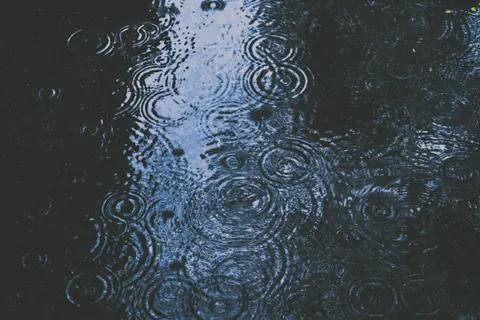
Two kinds of rain at once, close drops and a wider shower, with a quiet hush holding them together.
Start from the room and the task, then pick the smallest app that covers it:
Test whichever you choose for a week at low volume before paying. How to create a sleep soundscape walks through the setup, and how to use sound mixing covers balancing layers so one doesn’t swallow the other.
Want to try the mixer approach first? The 180 sounds at slonoise.com run without a download or an account, and the app covers iPhone, Android and Mac with 89 of its 200+ sounds free.
Environmental noise can disturb sleep, and the World Health Organization’s guidance puts reducing the source first when that’s practical. Fixing a rattling window beats covering it. Where you can’t fix the source, a steady background may make sudden room noise less noticeable, though research on continuous sound for sleep remains thin and results vary between people.
None of these apps treats insomnia, tinnitus, anxiety or ADHD, whatever their marketing suggests. Persistent sleep trouble deserves a proper assessment, and CBT-I has far stronger clinical support than any sound-based self-help. Keep playback at the lowest comfortable level, keep speakers away from your pillow, and stop if the sound itself is what’s holding your attention. For what the research does support, read the benefits of nature sounds.
It depends on how much control you want. Slo suits nature that runs all night: 49 nature recordings, 20 of them free, a timer from 15 minutes to 24 hours with fade-out, and background playback on iPhone and Android. Rain Rain suits rain in every variety, myNoise suits shaping a soundscape element by element, Portal suits Apple users who want visuals, Calm suits guided content, and Apple Background Sounds suits basic playback with nothing installed.
Yes. Slo keeps 89 of its 200+ app sounds free for good, 20 of them nature recordings, and all 180 browser sounds at slonoise.com free with no account. Rain Rain gives you 50+ sounds, the mixer and every timer option free with a banner ad. myNoise’s website is free and ad-free, funded by donations. Apple Background Sounds costs nothing on supported devices, and Portal’s Open Access tier includes three free portals, refreshed monthly, with no time limit.
They may help when noise is the problem, by reducing how sharply a car door or a hallway stands out. Evidence for continuous sound as a sleep aid remains limited and mixed, so treat it as a change to your room rather than a treatment. Some people sleep better in silence, which is worth testing for a few nights.
Steady rain or flowing water, since neither has sharp events to track. Birdsong and thunder add distinct sounds that can wake a light sleeper or interrupt reading, so they fit daytime better. If the labels confuse you, the guide to noise colors explains how rain differs from white and brown noise.
Slo, Rain Rain, myNoise and Calm all list Android versions. Portal has no Android app, and Apple’s Background Sounds only exists inside Apple’s own systems, so both drop out if your household runs on Android. The 180 browser sounds at slonoise.com also open in an Android browser with no install.
Explore more sounds in Slo
Stack two or three sounds, keep the blend, and let the timer stop it. Slo, on iOS, Android and Mac.